
Welcome back to our Indispensable Azure Tools series. This time, we’re exploring Maester, an open-source, PowerShell-based Microsoft Security Test Automation Framework built on Pester.
Maester takes the reliability of Pester and supercharges it with cloud intelligence, actionable reporting, and a true Security as Code model for Microsoft cloud configurations. Instead of manually reviewing settings across multiple admin portals, you continuously validate them as code.
And that matters because identity is the new control plane.
Microsoft Entra ID governs access to Azure subscriptions, management APIs, M365 services, SaaS applications, and automation workflows. If identity is misconfigured, everything built on top of it is exposed. Maester focuses heavily on Entra ID and Conditional Access, while also validating configurations across major SaaS platforms like Exchange Online, Microsoft Teams, Intune, Microsoft Purview, and key Azure controls such as MFA enforcement for app registration owners and Conditional Access protections for Azure management.
Maester supports multiple deployment models for continuous monitoring, including GitHub Actions, Azure DevOps Pipelines, Azure Container App Jobs, and Azure Automation. For Azure centric teams looking for simplicity and cost efficiency, Azure Automation and Azure Container App Jobs are particularly compelling. At the same time, Maester can be integrated with Azure DevOps Pipelines and scheduled to be run daily and when changes are introduced in Entra ID and your M365 tenant.
Why Maester Is Indispensable
Security incidents rarely begin with dramatic failures. They start with drift.
A Conditional Access policy becomes slightly mis-scoped. MFA is not enforced for application owners. A new Entra configuration is introduced without validation against your baseline. Individually, these changes seem small. Over time, they create exposure.
Maester is designed to detect that drift early.
It enables regression testing of your tenant’s security posture. Conditional Access What-If simulations help uncover loopholes before attackers do. Custom Pester tests allow you to encode organization-specific security requirements. And built-in tests align with recognized baselines such as EIDSCA mappings to MITRE ATT&CK techniques and CISA guidance.
Security policies become testable artifacts. That’s how security should work in a DevOps world.
What You Get Out of the Box
Maester includes a comprehensive, community-driven set of built-in tests. More than 40 originate directly from EIDSCA, targeting Entra ID attack paths and mitigation scenarios grounded in real-world identity threats.
The v2.0 release, announced in February 11 2026, significantly expanded coverage. It enhanced Entra ID and Conditional Access validations, introduced new Intune checks, added Azure-focused controls such as MFA enforcement for app registration owners, and integrated Microsoft Security Exposure Management and Defender-related validations.
The reporting experience is practical and actionable.
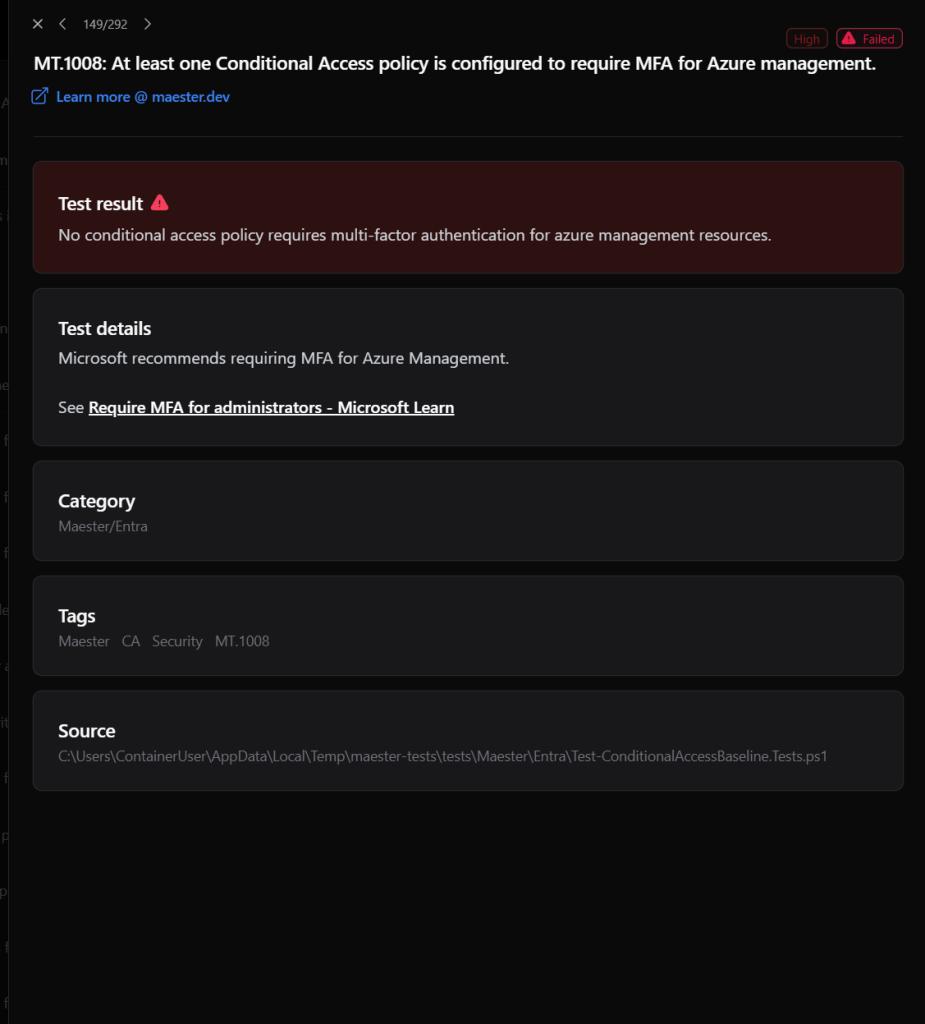
Example of a failed high-severity Conditional Access test that checks whether MFA is required for Azure management
This is where Maester really earns its value. The failed test doesn’t just state that MFA is missing for Azure management. It clearly explains that no Conditional Access policy currently enforces multi-factor authentication for Azure management resources. It references Microsoft’s own guidance and provides a direct link to the relevant documentation.
And just as importantly, these checks are repeatable. Once you remediate the issue, the next run confirms that the control is now correctly enforced. That feedback loop is what turns security into something measurable and continuously verifiable.
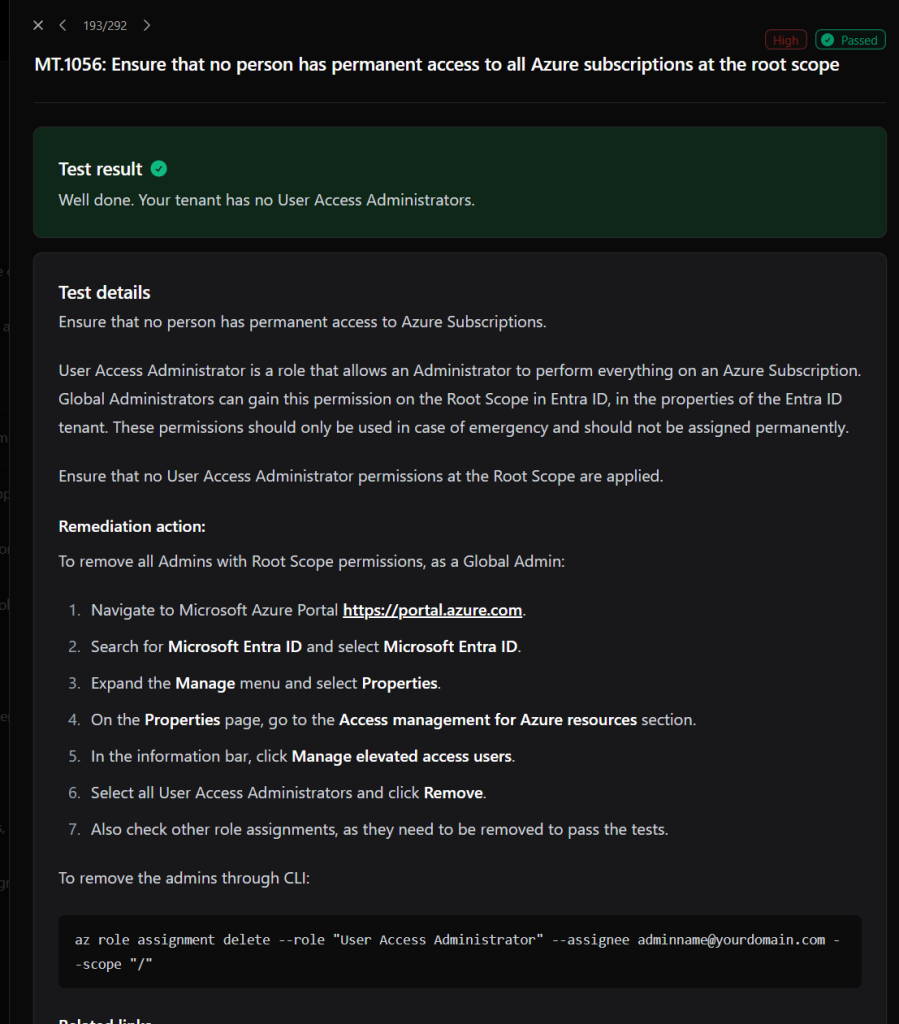
Of course, validation is not only about finding gaps. It is also about confirming that critical controls are correctly configured. Here’s an example of a passed high-severity control ensuring that no one has permanent User Access Administrator permissions at the root scope:
Successful results provide positive confirmation that governance guardrails are working as intended.
In larger tenants, this becomes especially valuable. You gain confidence that sensitive root-level permissions have not quietly been introduced over time.
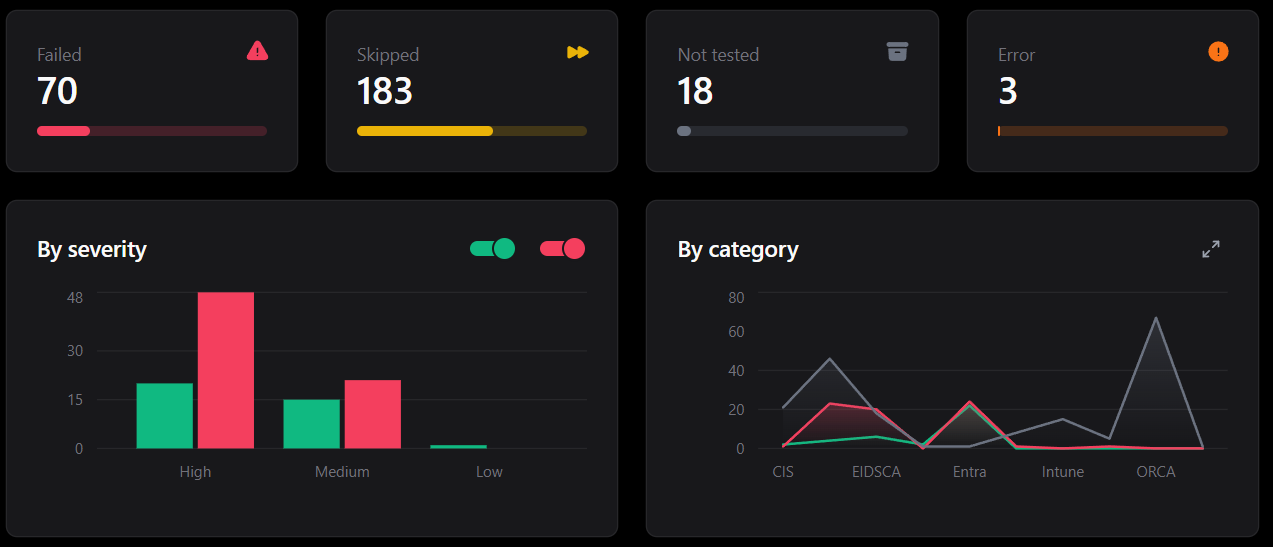
The overall dashboard provides a clear snapshot of total tests, passed, failed, skipped, and errors:
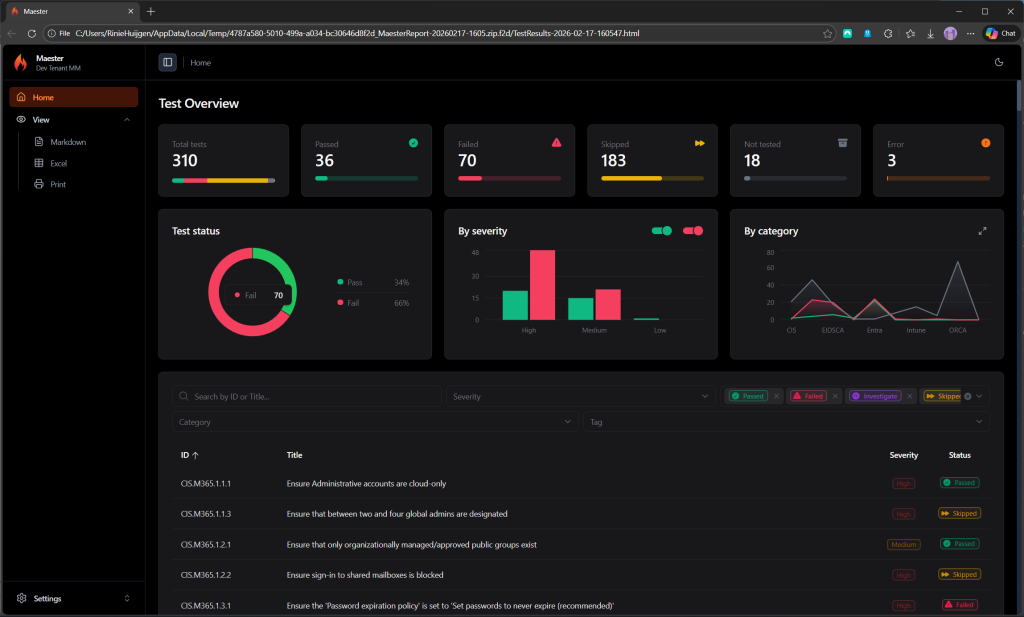
For compliance and reporting purposes, Maester supports interactive HTML reports, Markdown export, Excel export, and printable output.
You’re not just seeing pass or fail, you’re seeing what to fix and exactly where. And because Maester builds on Pester, extending it with custom tests is straightforward for teams that want to codify their own policies.
The Real Power Move: Azure Automation Integration
Where Maester becomes especially powerful for Azure teams is Azure Automation.
Anyone who hasn’t used Automation Accounts recently will appreciate how Runtime Environments simplify everything, direct gallery imports make module management clean and reliable.
From a cost perspective, the free tier includes up to 500 execution minutes per month, which is more than sufficient for monthly tenant-wide validation. You simply create an Automation Account and enable a system-assigned Managed Identity, so no stored credentials and no secrets to rotate.
Creating the Runtime Environment is straightforward. As Maester is in the official gallery, simply select it to add it to your runtime environment. The Runbook itself signs in with Managed Identity, installs tests, and runs Invoke-Maester.
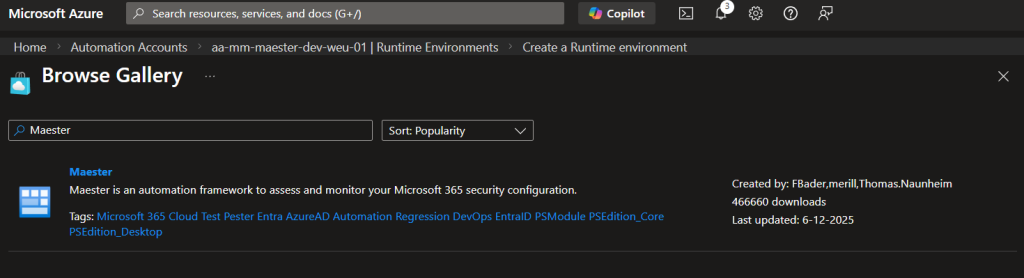
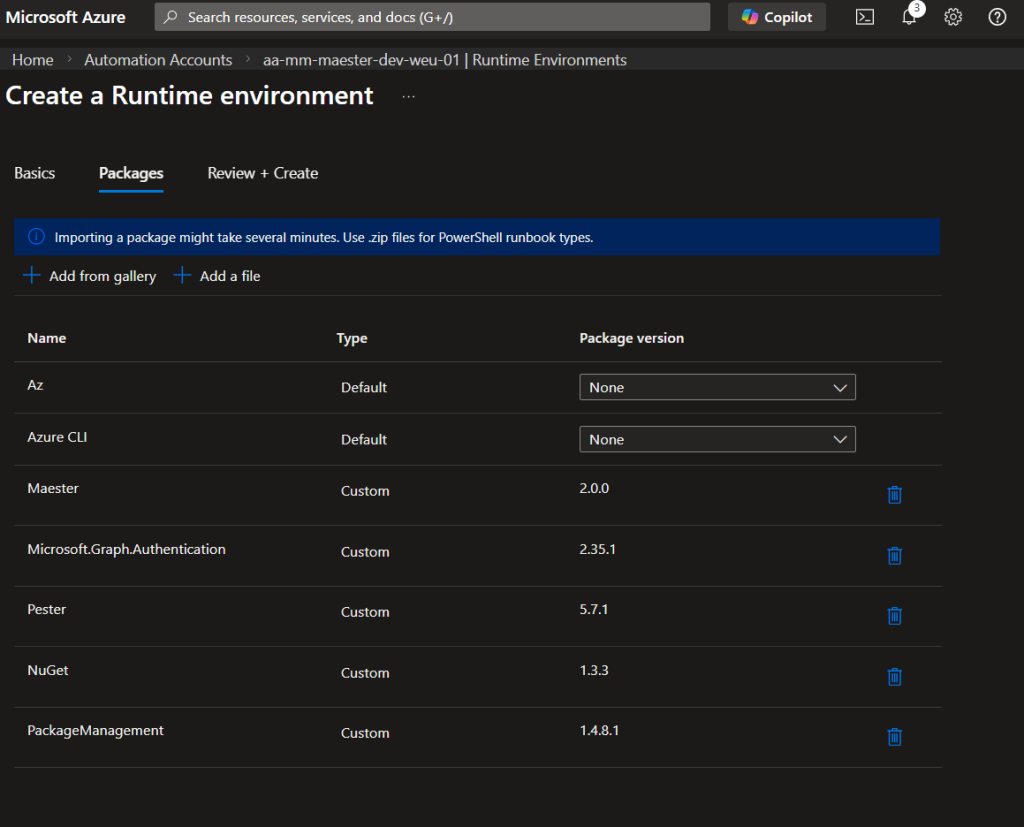
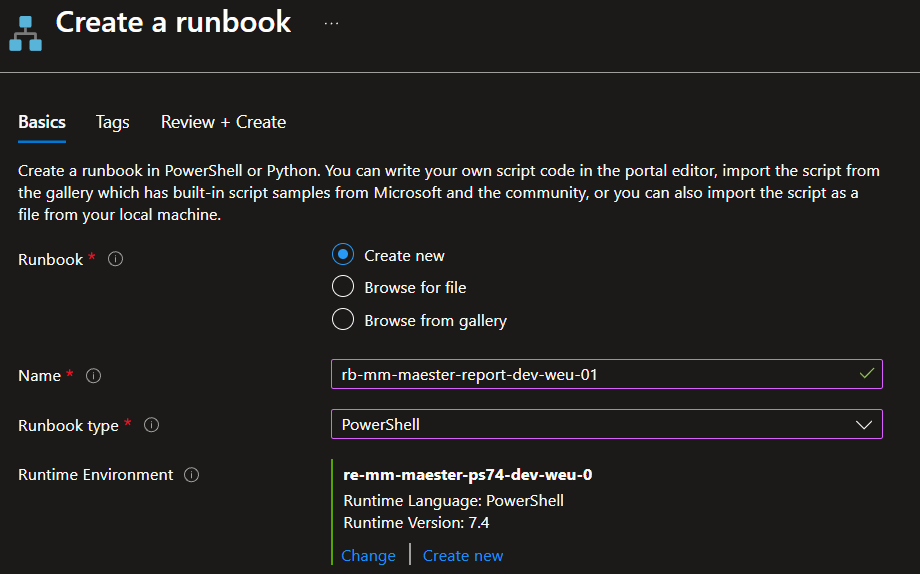
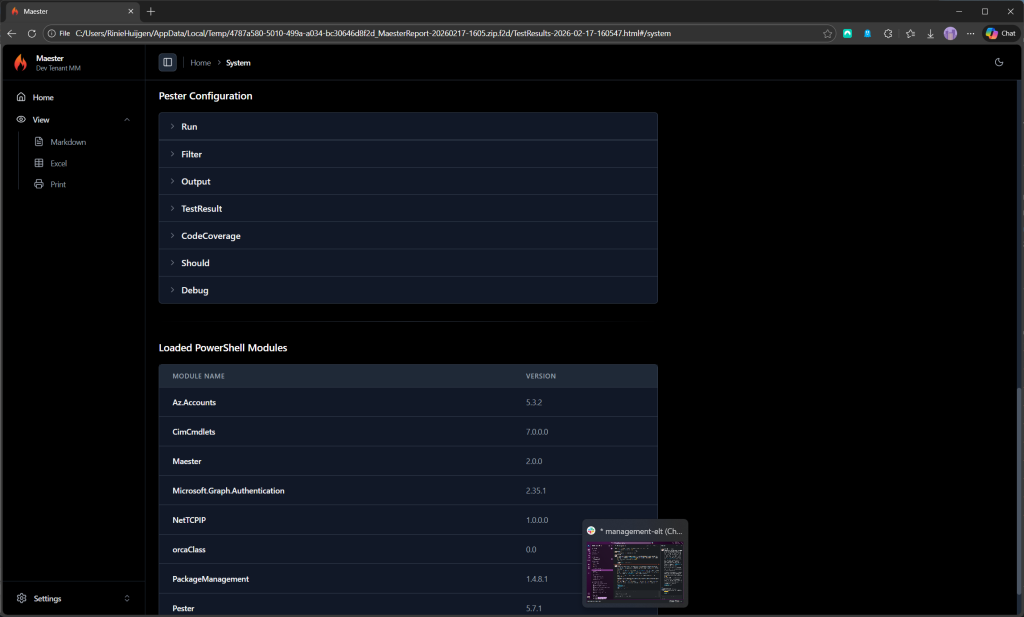
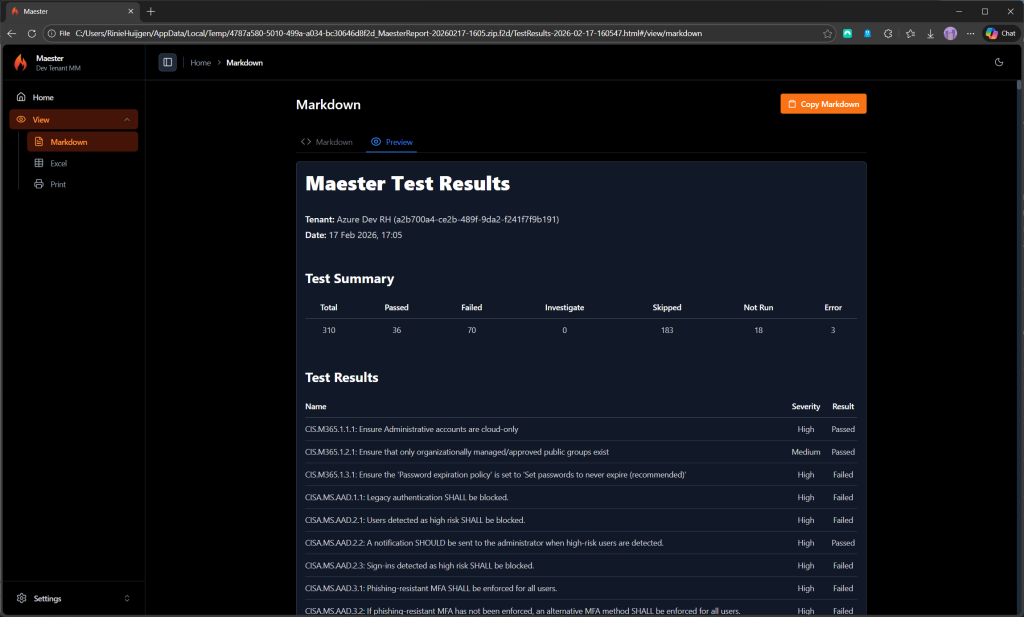
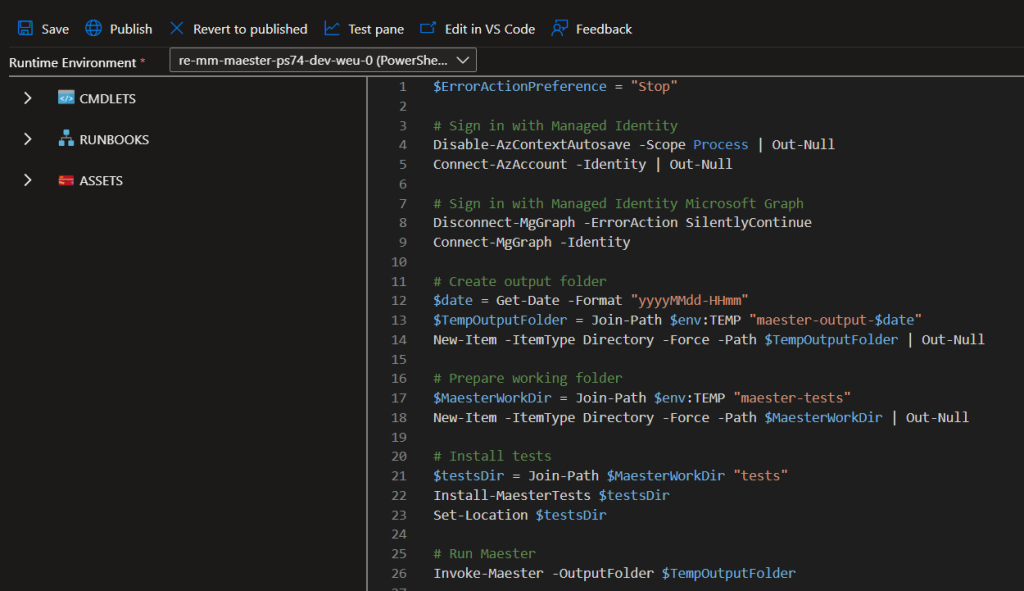
Once configured, Maester becomes true “set it and forget it” solution Automated emails highlight failures or configuration changes. Reports include remediation links. Drift is detected early, without adding operational complexity.
For teams using Azure DevOps, you can schedule Maester daily and trigger it when configuration changes are introduced in your M365 tenant, embedding continuous security validation directly into your DevOps workflows.
Real-World Value for M365 and Azure Teams
For organizations that rely on Microsoft Entra ID as the security foundation for Azure and/or M365, Maester fills a critical gap. It delivers continuous validation without deploying additional infrastructure. It eliminates secrets management. It avoids complex pipeline engineering just to verify security posture. It integrates natively with Azure.
It also reduces audit stress. Instead of scrambling for evidence, you have recurring, timestamped validation reports. As policies evolve and Microsoft introduces new controls, your tenant is continuously checked against defined standards.
You just validate your tenant consistently. And that consistency builds real security resilience.
Get Started
Install Maester from the PowerShell Gallery:
Install-Module Maester

Explore monitoring options at: https://maester.dev/docs/tests. This includes Azure Automation (with a Bicep Infrastructure as Code option), GitHub Actions, Azure DevOps Pipelines, Azure Container App Jobs, and more. The project is actively maintained at: https://github.com/maester365/maester
If you manage Microsoft Entra ID and M365 security in an Azure environment and want hands-off, continuous confidence in your posture, across the DevOps platform you already use, Maester belongs in your toolkit. Give it a try in your tenant and see why it earns its place in our Indispensable Azure Tools series.
This post is part of the Indispensable Azure Tools series by DevOps Masterminds. Explore the full series here.
Stay tuned as we continue to highlight the tools that make building on Azure smarter, faster, and easier to manage.