
If you’re managing Azure environments at scale, identity is one of those things that quietly becomes a problem before anyone notices. Users get created manually, roles get assigned mostly ad hoc, and when someone leaves the organisation, their access doesn’t always go with them.
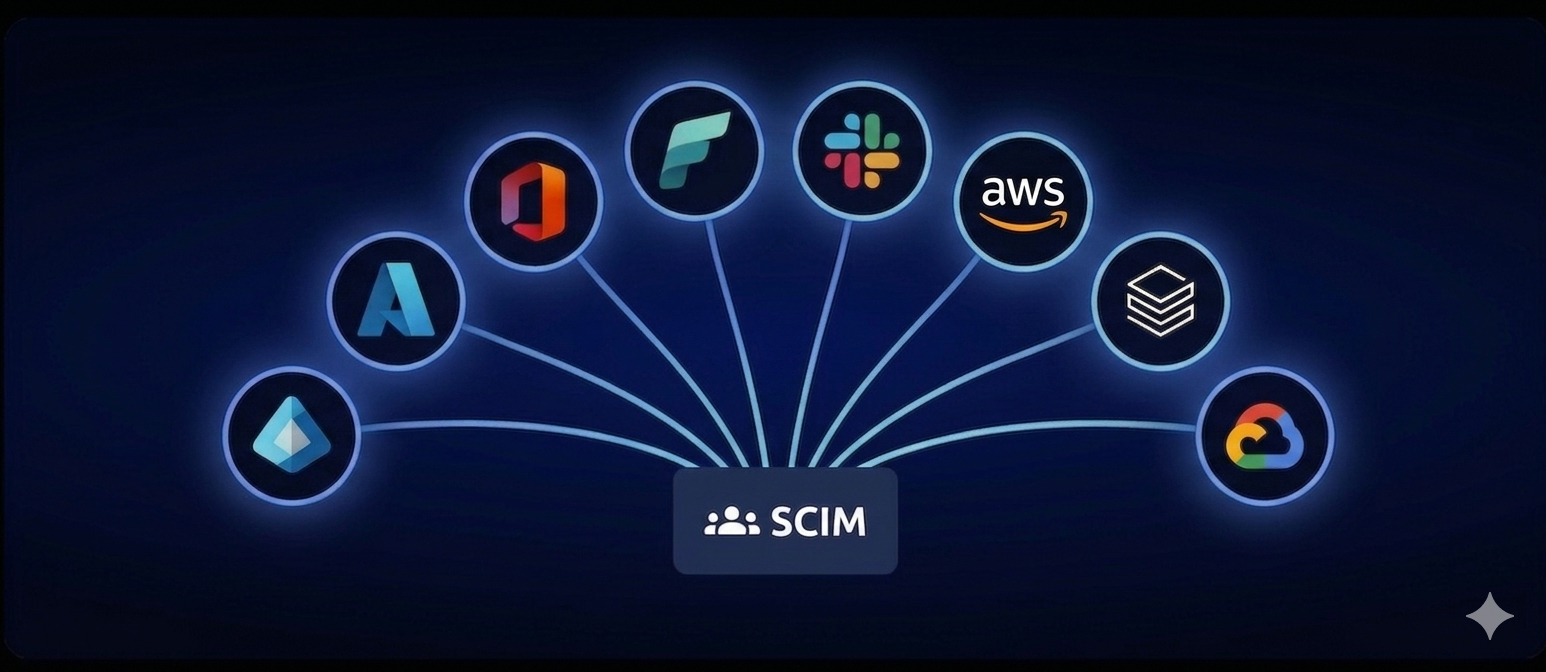
SCIM is the standard that fixes this. It stands for System for Cross-Domain Identity Management, and it’s what makes automated, lifecycle-aware user provisioning possible across every application connected to Entra ID. Combined with SSO, it gives you a complete picture: not just how users authenticate, but how they get created, updated, and removed across your entire application landscape.
If you haven’t looked at SCIM yet, this is a good moment to start.
What is SCIM?
At its core, SCIM is an open standard protocol (SCIM 2.0 to be precise) that automates the exchange of user identity information between systems. Think of it as the API contract that lets Entra ID talk to your SaaS applications about users and groups, without anyone touching a keyboard.
The protocol defines two standard endpoints: /Users and /Groups. It uses plain REST verbs - GET, POST, PUT, PATCH, DELETE - and a pre-defined schema for common attributes like username, first name, last name, email, and group membership. Any application that implements SCIM 2.0 can be provisioned from Entra ID automatically. No custom scripts., No manual onboarding, No clicking in Portals.
SSO Gets You in the Door. SCIM Manages the Keys.
Most organizations that implement SSO through Entra ID stop there. A user gets created manually in the target application, someone sets their role, and if they’re lucky someone remembers to remove them when they leave. This is where things break down.
SCIM closes that gap. When HR adds a new employee to your identity system, SCIM provisions their accounts across connected applications automatically. When someone changes team or role, attribute changes flow through to every connected app. When someone leaves and their Entra ID account is disabled or deleted, SCIM deprovisions them everywhere.
How it Works with Entra ID
Entra ID has a built-in provisioning service that speaks SCIM 2.0 natively. The setup follows a consistent pattern across almost every integration.
You create an Enterprise Application in the Entra admin center; either from the gallery if the app is listed, or as a non-gallery application for anything custom. You configure the provisioning mode to Automatic, provide the target application’s SCIM endpoint URL and a bearer token, and let Entra ID do the rest.
From that point on, Entra’s provisioning engine runs on a roughly 45-minute cycle by default. It reads the users and groups assigned to the application and syncs them to the target. You can also trigger on-demand provisioning for individual users when you need to test or push a change immediately.
Attribute mapping is where you get granular. Entra ID lets you map its user attributes (like department, jobTitle, manager) to the corresponding SCIM attributes in the target application. For most standard apps the defaults work fine. For custom or internal applications you can tune this precisely.
Real-World Examples
GitHub Enterprise. You manage developers in Entra ID groups. SCIM keeps GitHub organization membership in sync. New engineers get access on day one. Contractors get removed the moment their contract ends. No one has to remember to do it.
Azure Databricks. The SCIM connector syncs Entra ID users and groups directly into your Databricks account. Combined with SSO, your data engineers never need a separate Databricks identity. Their workspace access reflects their Entra group membership exactly.
ServiceNow. A common one for enterprise customers. The gallery app defaults to SOAP-based provisioning which doesn’t give you the full SCIM benefits. Setting it up as a non-gallery application with the SCIM v2 plugin installed on the ServiceNow side gives you proper standards-based provisioning that’s much more maintainable long-term.
NordLayer. NordLayer is the enterprise network security solution from the Nord family, and it integrates with Entra ID through SCIM natively. For organizations running Zero Trust Network Access alongside Azure, this is a great combination. Your Entra ID groups drive NordLayer team membership and access permissions automatically. People joining the company get VPN and network access on day minute one, with a convenient single company-wide public IP address. When they move on, that access is gone the moment their Entra account is deprovisioned automatically.
Internal applications. If you’re building internal tooling. A developer portal, a custom admin interface, an internal API gateway, adding SCIM 2.0 support on the application side means you get Entra-managed provisioning for free. It’s a relatively small implementation effort with a significant operational payoff.
Why This Matters for Landing Zone Environments
If you’re running Azure Landing Zones with multiple subscriptions and workloads, identity hygiene matters more than most people realize. Unmanaged accounts accumulate. Permissions drift. Applications that were connected to a legacy identity system during a migration don’t always get cleaned up properly.
SCIM, combined with a well-structured Entra ID group hierarchy, gives you a consistent way to manage access at scale. Groups in Entra drive access in every connected application. When your group structure reflects your organizational structure, by department, team, or project, provisioning becomes a side effect of normal HR and organizational processes rather than a separate IT task.
It also plays well with automation. You can manage Entra group membership through Terraform or Bicep, using dynamic groups based on user attributes, or through lifecycle workflows that respond to HR events. The provisioning side just follows.
What to Watch Out For
SCIM through Entra ID is solid, but it has a few rough edges worth knowing: Nested group support is limited. Entra’s provisioning service only processes direct group members. If you’re using deeply nested groups, those nested memberships won’t flow through to the target application via SCIM.
Gallery versus non-gallery matters more than it looks. Some gallery apps (ServiceNow is the obvious example) route through an older, non-SCIM mechanism under the hood. If standardized, interoperable provisioning is the goal, check whether the gallery app actually uses SCIM or not before you commit.
The sync cycle is not real-time. The default is roughly 45 minutes. For most use cases that’s fine. For high-urgency offboarding scenarios, on-demand provisioning in the Entra portal covers the gap.
Attribute schema mismatches can cause provisioning failures that are not always obvious from the error messages. Test with a handful of users before you roll out to the full population.
The Bigger Picture
SSO tells an application who you are. But SCIM tells every application you exist, and when you no longer should. Together, they give you a complete identity lifecycle: provisioning, authentication, and deprovisioning, all driven from a single source of truth in Entra ID.
For organizations running Azure centric environments, this is the natural next step after getting SSO right. It reduces operational overhead, tightens your security posture, and removes the manual work that tends to pile up around user onboarding and offboarding.
If you’re already using Entra ID and have applications that support SCIM 2.0, there’s no good reason not to have this in place.
Want to know which of your applications support SCIM and how to automate and prioritize the rollout? We’re happy to help you map it out. Get in touch.