
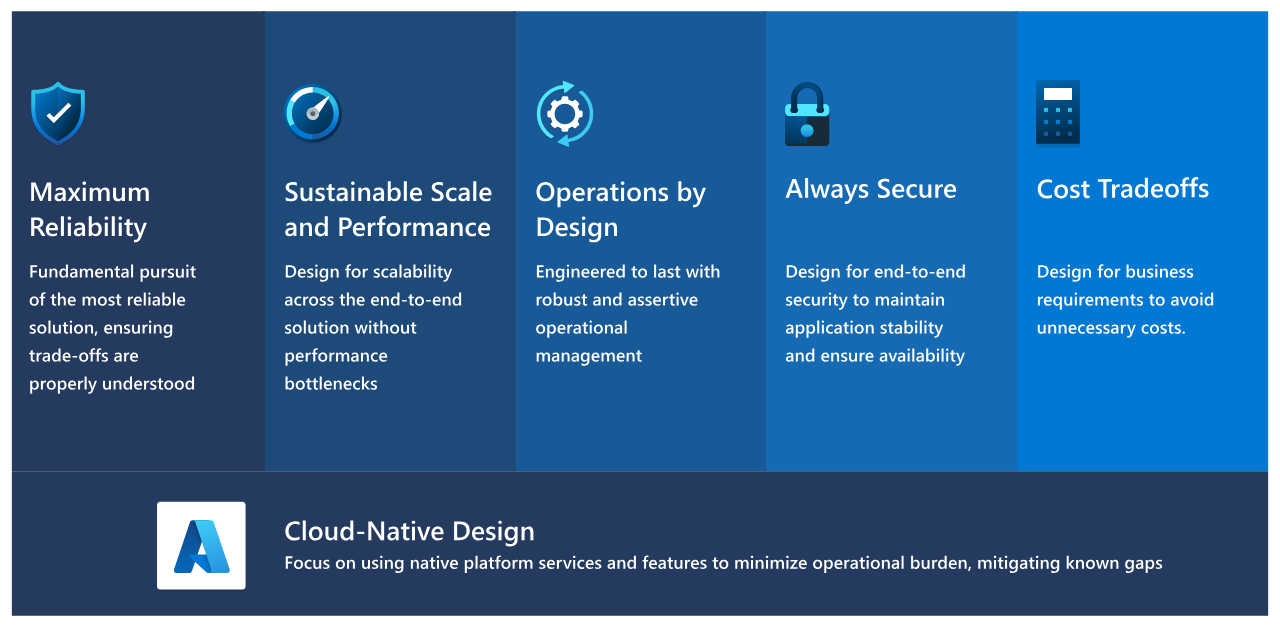

There are systems in your organisation that literally run the business. The core application that can’t go dark. The planning system a transport organisation relies on 24*7. The global checkout app that generates millions an hour. When these go down, business stops.
Azure has taken the hard lessons from running its own critical core services and turned them into practical guidance inside the Azure Well-Architected Framework. This is the Mission-Critical Workloads track, built for exactly those situations where failure simply isn’t an option.
If you’ve been witness of a serious outage, you know it’s rarely one big dramatic failure. More often that not, it’s a small fault that meets an assumption nobody wrote down. A dependency slows, retries pile up, a “successful” release creates an unexpected bottleneck. Mission-critical guidance is essentially: stop hoping and start engineering.
Build Fault Isolation Into the Design
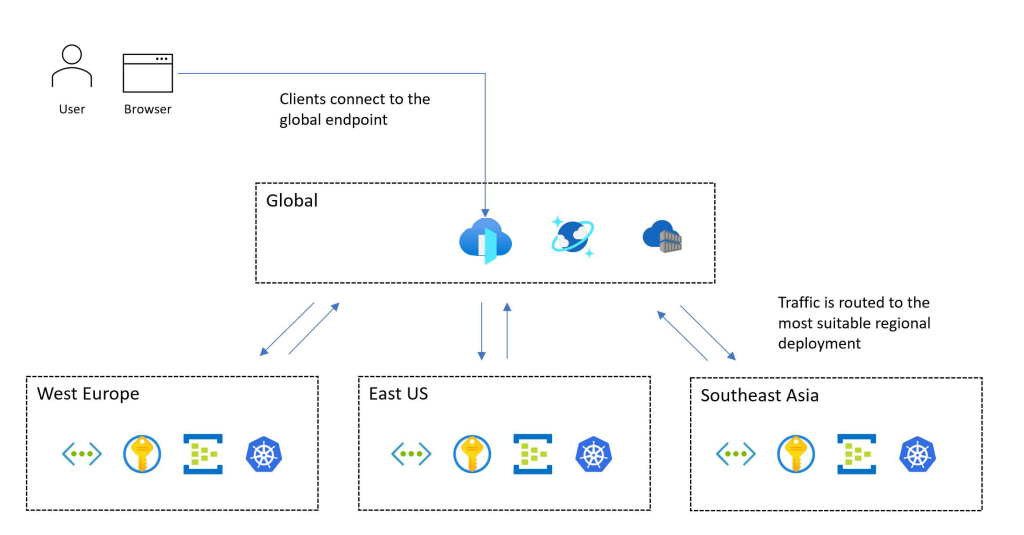
In Azure, the heart of this approach is the “stamp” (scale-unit) architecture. A stamp is a self-contained deployment of your entire workload and everything it needs to serve real traffic. You deploy stamps per region or per availability zone, and each one can run independently. That independence is essential. Many multi-region designs are tightly coupled through shared state or fragile dependencies, so one problem becomes a chain reaction. Stamps aim to contain the blast radius and make active-active or active-passive resilience predictable.
Architecture alone doesn’t save you if you can’t see what’s happening. That’s why health modeling matters. Instead of drowning in dashboards, you define what “healthy” means for the business: can the critical user journeys be served safely, and are the dependencies behaving? A clear health model speeds up incident response and makes automation safer because you’re acting on a trusted signal, not one noisy metric.
Know What “Healthy” Means in Real Time
Deployment is another important component. Mission-critical systems don’t tolerate “upgrade in place and hope.” The guidance leans toward zero-downtime deployments: build a new stamp, validate it properly, shift traffic gradually, then retire the old one.
And then there’s testing. Resilience is proven, not promised. A mission-critical design pushes proactive validation, including injecting failures on purpose to observe what breaks. Then tighten the design and repeat. Over time, you move from “we think failover works” to “we know how it behaves under stress”.
Who should use Mission Critical workload designs? Every app or workload where downtime is catastrophic: financial services, healthcare, critical infrastructure, commerce checkout and regulated environments. Everything with strict SLAs.

The outcomes are concrete: lower RTO/RPO where feasible, reduced risk of cascading failures, stronger compliance through engineered operational controls, and often lower long-term operational cost through automation and repeatability. When not to use it is just as important: internal tools, low-traffic apps, dev/test, or anything where 99.9% plus manual recovery is acceptable.
If you want a sensible next step, schedule a Azure workload assessment with us today.
There’s no one-size-fits-all approach to the cloud. That’s why we meet you where you are.