
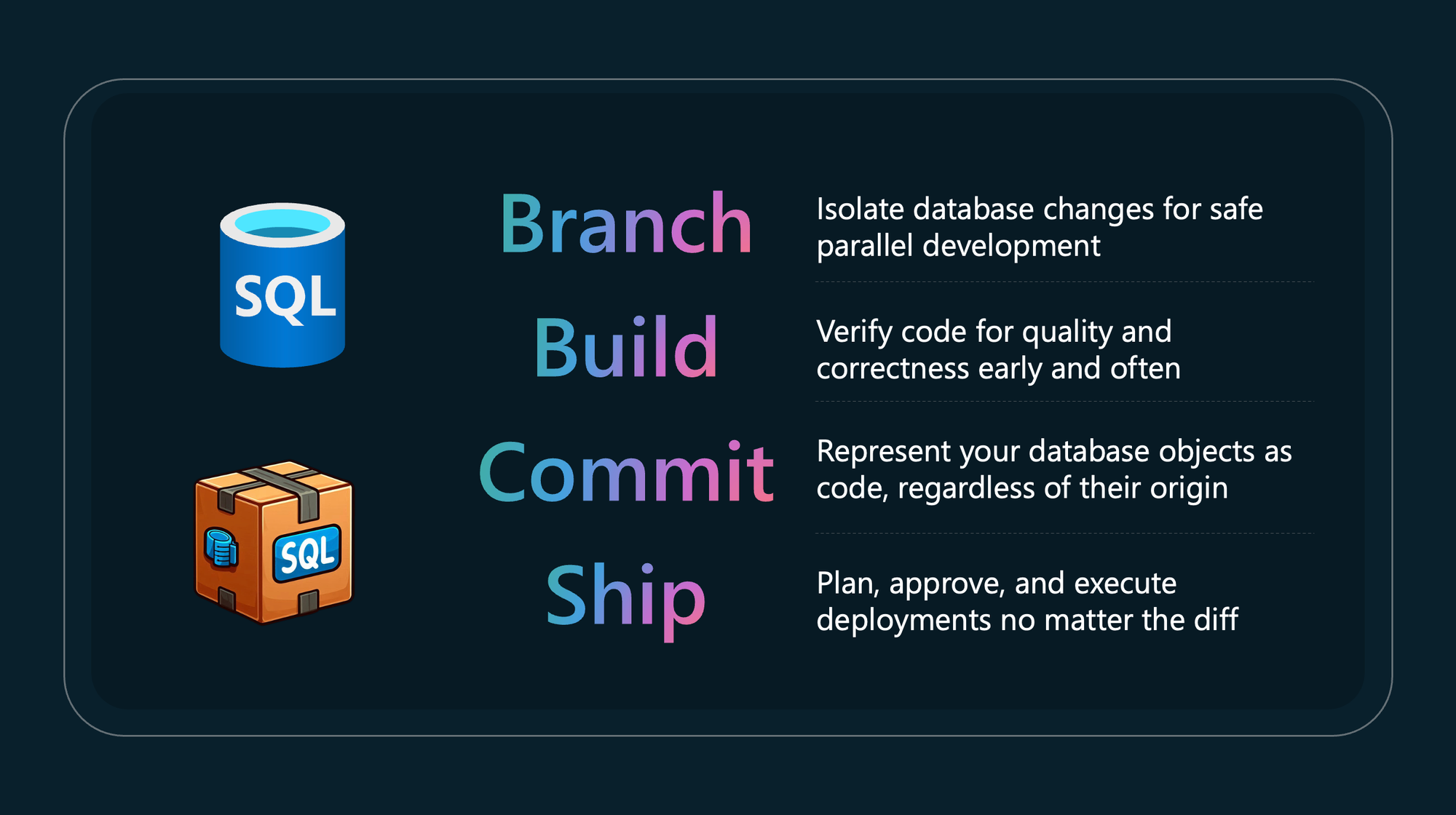

SQL Server Management Studio is the tool every SQL Server administrator opens without thinking about it. It has been around for two decades, and Microsoft is still shipping awesome updates to it. The 22.7.0 release is one of the bigger ones in a while, one we have been waiting for. It includes a stack of new features including a built-in T-SQL formatter, GitHub Copilot agent mode, and a new What’s new page (yes it did not have that). The one we care about most sits inside the Database DevOps workload: schema compare.
Databases were the last thing to move into code
For years, application code and infrastructure moved into source control while the database remained the exception. Schema changes were still made live in a query window, often by whoever happened to be on call. Tools like Redgate Flyway helped close that gap by making database changes version-controlled, repeatable and suitable for CI/CD, most commonly through ordered migration scripts. We walked through that approach in our earlier article on taking control of your database through DevOps.
The direction is clear: your database belongs in code, reviewed and deployed like everything else.
What schema compare actually does
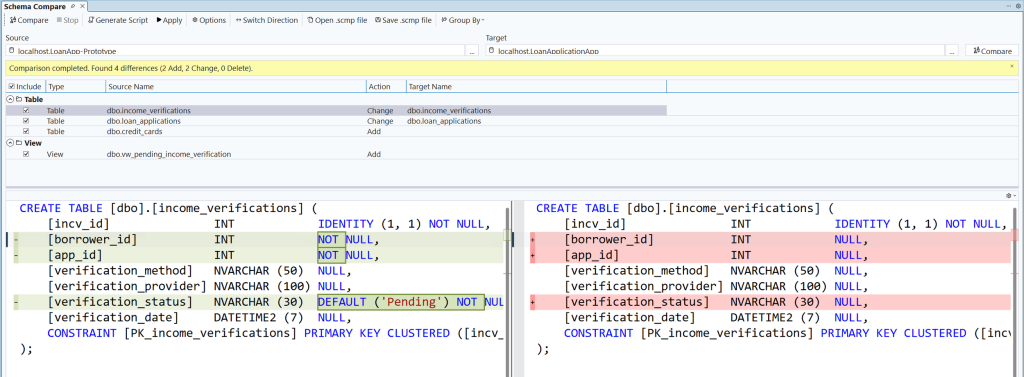
Schema compare lets you compare two database definitions and treat the differences as a set of actions that bring the target in line with the source. The source and target can be any mix of a live database, a SQL database project, or a .dacpac file. The result reads like a git diff: adds, changes, and deletes, grouped by type, with per-line T-SQL differences you can inspect side by side. You include or exclude changes per object, then either generate a script to review or apply the changes directly.
Save the comparison as a .scmp file and it becomes repeatable. If you regularly sync a development database against your SQL project, that one file turns an ad hoc chore into a consistent step you can run again with a single selection. The full walkthrough lives in the SSMS 22.7 feature post and the schema compare documentation.
A different model from migrations, and that is the point
Worth being precise here, because the two approaches are not the same thing. Flyway Enterprise supports state-based development workflows while the free Flyway Community edition is primarily migrations-based: you write ordered scripts and the tool applies the ones that have not run yet. SQL projects and schema compare are state-based: you describe the end state you want and the engine works out the difference. Both are valid ways to keep a database in code, and plenty of teams run both. What changed in 22.7 is not that one replaces the other, it is that the state-based path now lives inside the tool your DBAs already have open. Fewer context switches, and a much lower barrier to getting schemas into source control.
One thing to note: schema compare is in preview, and the Database DevOps workload it belongs to is itself also in preview. It is genuinely useful, but treat it as preview software and keep production deployments behind proper review.
The supporting features that make it pipeline-ready
Two smaller additions matter more than they look. The new SQL formatter, built on the open-source ScriptDOM parser, applies consistent formatting on demand or automatically on save. That sounds cosmetic until you are reviewing a pull request and the diff is clean instead of buried under whitespace changes.
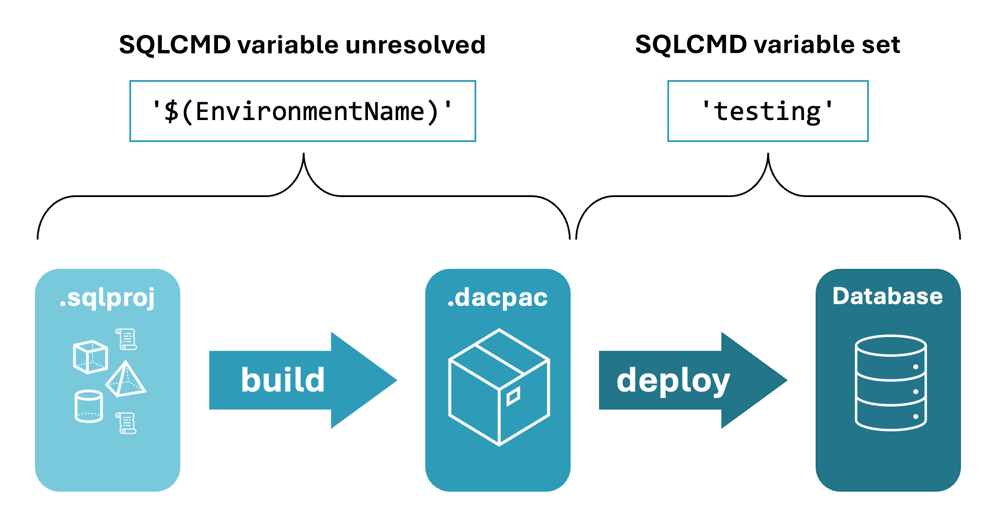
The publish dialog now surfaces SQLCMD variables, so you can set environment-specific values at deploy time without maintaining separate copies of your database code. The same variables work with the SqlPackage command line, which means what you click through in SSMS maps directly onto what runs in your CI/CD pipeline.
Less friction for the people doing the work
The friction around database DevOps was never really about willingness. It was about tooling and the constant switching between editors, comparison utilities, and deployment scripts. Pulling compare, format, and project publish into SSMS removes a lot of that. You still need the discipline around it: source control, reviewed changes, and a pipeline that deploys consistently across environments. The tool is finally meeting teams where they already work.
If your schema still lives in a folder of loose scripts, or worse, only inside production, this is a good moment to change that. We help teams get their databases into source control and deploying through proper DevOps pipelines, whether that is the state-based path now built into SSMS, a migrations tool like Flyway, or a combination of both. Get in touch and we will map out what getting your database under control looks like for your environment.